CronMon
crontab -e opens vim on macOS
Get out of vi
Press Esc, then type :q! and press Return. That quits without saving, and nothing is installed. To save and install instead: Esc, then :wq, Return.
Use a different editor, once
EDITOR=nano crontab -enano ships with macOS. In nano, ^O then Return writes the file and ^X exits.
Use it every time
Add one line to your shell profile — ~/.zshrc for zsh, which is the default on macOS, or ~/.bash_profile for bash:
export EDITOR=nano
export VISUAL=nano
Open a new terminal window, or source ~/.zshrc, and crontab -e uses it. Set both: crontab looks at VISUAL first, then EDITOR, and falls back to its built-in default of vi when neither is set. Setting only EDITOR while something else in your profile sets VISUAL is the usual reason "I already did this" does not work.
With VS Code, Sublime or BBEdit
A graphical editor has to stay in the foreground until you close the file, or crontab will read the file back before you have typed anything and install an unchanged crontab. Each has a flag for that:
export EDITOR="code --wait"
export EDITOR="subl --wait"
export EDITOR="bbedit --wait"
For VS Code, code has to be on your PATH: open the command palette and run Shell Command: Install 'code' command in PATH.
Skip the editor entirely
You do not have to use crontab -e at all. Keep the crontab as a file you edit however you like, and install it. These three lines export what is installed, open it in TextEdit (or use anything else), and install it back:
crontab -l > ~/my-crontab
open -e ~/my-crontab
crontab ~/my-crontab
This has a real advantage: the file can live in a repository, so the crontab is versioned instead of being a thing that exists only on one Mac. The catch is that crontab <file> replaces the whole crontab, so export first or you will drop lines you forgot about.
If it refuses to install
crontab: errors in crontab file, can't install means a line does not parse. Check that every job has five time fields before the command, that a % in the command is escaped as \% (cron treats it as a newline otherwise), and that the file ends in a newline. Older versions of macOS also warned crontab: temp file must be edited in place when the editor replaced the file rather than writing it — the --wait flags above avoid that too.
Or make vi bearable
vi is on every Mac and every server, and a crontab is five lines, so learning four keys is a fair trade: i to start typing, Esc to stop, dd to delete the line the cursor is on, :wq to save and quit. Line numbers and a visible cursor line help; put them in ~/.vimrc:
set number
set cursorline
Where the file actually is
Under /usr/lib/cron/tabs/<user>, owned by root and not meant to be edited directly — crontab exists to validate the file before installing it, and launchd watches that directory to know when to start cron. Edit through crontab, not with sudo.
Or read your crontab without opening an editor
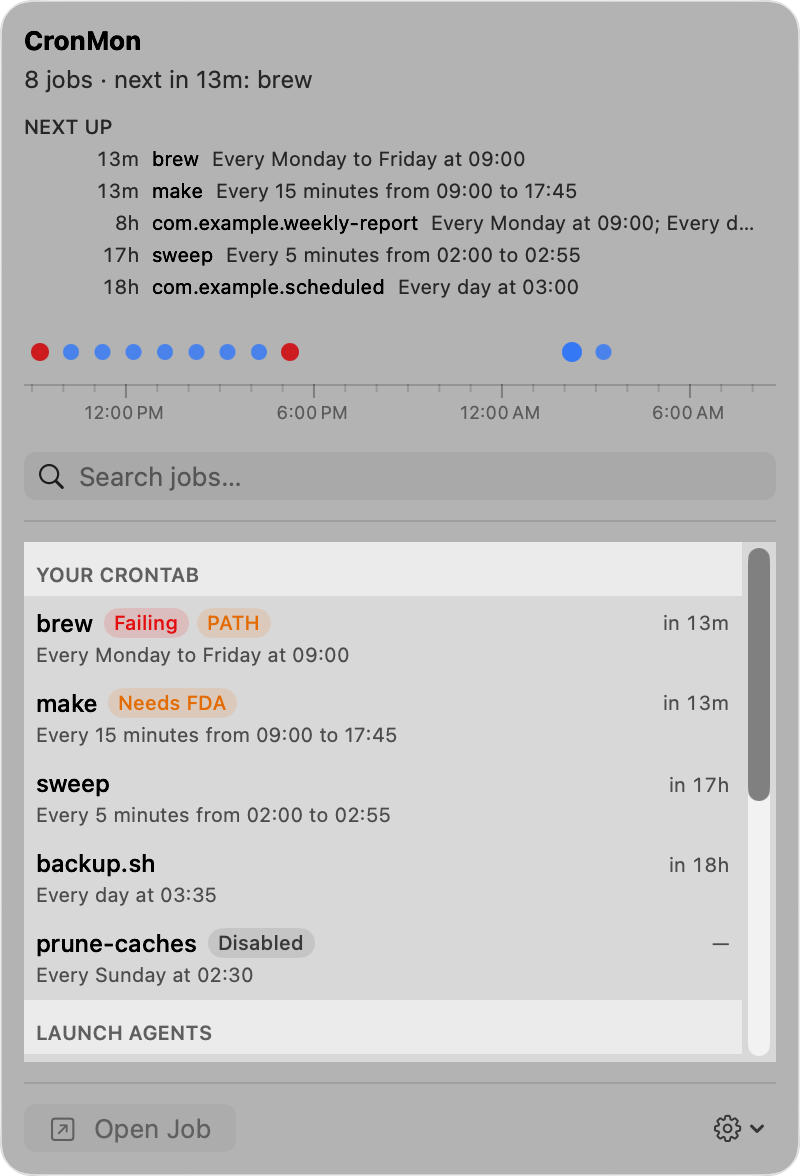
CronMon shows every line of your crontab as a job with its schedule in plain English, the file and line number it came from, and the next five times it will run — and it can switch a line off and back on without you editing anything, keeping a backup of the crontab each time.