CronMon
Run a Python script from cron on a Mac, with a virtualenv
The line that works
Do not activate the virtualenv. Run the Python inside it by its full path, from the project folder, and send everything it prints to a file:
*/15 * * * * cd /Users/you/projects/report && /Users/you/projects/report/.venv/bin/python job.py >> /Users/you/projects/report/cron.log 2>&1That is the whole fix for most people. Each part is there for a reason:
- .venv/bin/python by absolute path picks the virtualenv without activating it, so your installed packages are found. A bare python3 under cron is Apple's /usr/bin/python3, which has none of them and fails with ModuleNotFoundError.
- cd /Users/you/projects/report matters because a cron job starts in your home folder. Any relative path in the script — open("data.csv"), a .env file, an SQLite database — is looked for there instead.
- >> cron.log 2>&1 keeps the output. Without it cron mails it to a local mailbox nothing opens, and a Python traceback goes to standard error, so the 2>&1 is the half that catches the failure.
Find the exact path to put in the crontab from inside the project:
cd /Users/you/projects/report
.venv/bin/python -c 'import sys; print(sys.executable, sys.prefix)'
The second path it prints is the virtualenv itself. That is how you know the packages will come from it.
Why you do not need source activate
A virtualenv's bin/python finds its own environment: on start-up it reads the pyvenv.cfg file one folder above it and uses that environment's site-packages. Activating does something else — it puts .venv/bin at the front of PATH and changes your prompt — which is convenient in Terminal and unnecessary in a crontab.
If the job needs the virtualenv's other commands on PATH as well, you can still activate. cron runs the line with /bin/sh, so use ., the portable spelling of source:
*/15 * * * * cd /Users/you/projects/report && . .venv/bin/activate && python job.py >> cron.log 2>&1Test it in cron's environment first
A job gets PATH=/usr/bin:/bin, your home folder as its working directory, and none of your shell profile. You can reproduce that in Terminal instead of waiting for the schedule:
cd ~
env -i HOME="$HOME" LOGNAME="$USER" USER="$USER" SHELL=/bin/sh \
  PATH=/usr/bin:/bin /bin/sh -c 'cd /Users/you/projects/report && /Users/you/projects/report/.venv/bin/python job.py'
If it fails here, it will fail under cron, and you get to see the traceback straight away.
What else is missing under cron
The interpreter is the usual problem, but not the only one. These are the errors the rest of the bare environment produces:
| Under cron you see | Because |
|---|---|
| FileNotFoundError: [Errno 2] No such file or directory: 'data.csv' | The script used a relative path and the job started in your home folder. Add the cd, or build paths from Path(__file__).parent in the script. |
| FileNotFoundError: [Errno 2] No such file or directory: 'ffmpeg' | subprocess looks commands up on PATH, which under cron does not include Homebrew. Pass the full path, such as /opt/homebrew/bin/ffmpeg, or set a PATH line at the top of the crontab — see cron: command not found. |
| KeyError: 'API_KEY' | The variable is exported in ~/.zshrc, which cron never reads. Load it from a file in the project instead, for example a .env file read with python-dotenv, so the job and Terminal get it from the same place. |
Non-ASCII output is not one of them: with no LANG set, Python 3 switches its own standard streams to UTF-8, so printing an é into the log works.
Logging that you can actually read
When standard output is a file, Python buffers it. Lines printed by a long job appear in cron.log in chunks, or only when it exits, and they can land after the traceback that was written later. Run Python with -u to write each line as it happens:
*/15 * * * * cd /Users/you/projects/report && /Users/you/projects/report/.venv/bin/python -u job.py >> /Users/you/projects/report/cron.log 2>&1For timestamps, use the logging module inside the script rather than date in the crontab line, where every % has to be escaped — the percent sign in crontab explains why. A minimal setup:
import logging
logging.basicConfig(
    level=logging.INFO,
    format="%(asctime)s %(levelname)s %(message)s",
)
logging.info("starting")
basicConfig writes to standard error, which the 2>&1 sends into the same log.
A wrapper script, when the line gets long
Once there is a PATH to set, a working directory and flags, put them in a script next to the project and keep the crontab line short. Inside a script $PATH expands the way you expect:
#!/bin/sh
cd "$(dirname "$0")" || exit 1
export PATH="/opt/homebrew/bin:/usr/local/bin:$PATH"
exec .venv/bin/python -u job.py
chmod +x /Users/you/projects/report/run.sh*/15 * * * * /Users/you/projects/report/run.sh >> /Users/you/projects/report/cron.log 2>&1cd "$(dirname "$0")" moves into the folder the script lives in, so it works wherever cron starts it, and exec hands the process over to Python so the exit status cron sees is the script's own.
uv
A uv project has an ordinary virtualenv in .venv, so the line at the top works unchanged once uv sync has created it. That is the most predictable choice: nothing is installed or downloaded when the job runs.
To use uv run instead, write uv's full path — /opt/homebrew/bin/uv for a Homebrew install, ~/.local/bin/uv for the standalone installer, written out as /Users/you/.local/bin/uv — and use --directory, which changes into the project before running. --project only selects the project and leaves the job in your home folder.
*/15 * * * * /opt/homebrew/bin/uv run --directory /Users/you/projects/report job.py >> /Users/you/projects/report/cron.log 2>&1uv run syncs the environment before every run. If the lock file changed, or the project asks for a Python version you do not have yet, the job installs packages or downloads an interpreter first, and the Downloading cpython-… progress lines end up in your log. Add --no-sync if you would rather the job never changes the environment.
Poetry
Poetry keeps its virtualenvs outside the project unless you tell it otherwise. Ask it where this project's is, from the project folder, and use that path's bin/python in the crontab:
poetry env info --pathOr have Poetry create the environment inside the project, as .venv, so the path does not depend on Poetry's cache. The setting applies to environments Poetry creates from then on, so it is simplest to set it before the project's first install:
poetry config virtualenvs.in-project true
poetry install
poetry run python job.py also works under cron as long as you write poetry's full path (ask command -v poetry) and cd into the project first. For pyenv, conda and other version managers, the command-not-found guide has the paths to use.
Two Mac-specific ways it breaks later
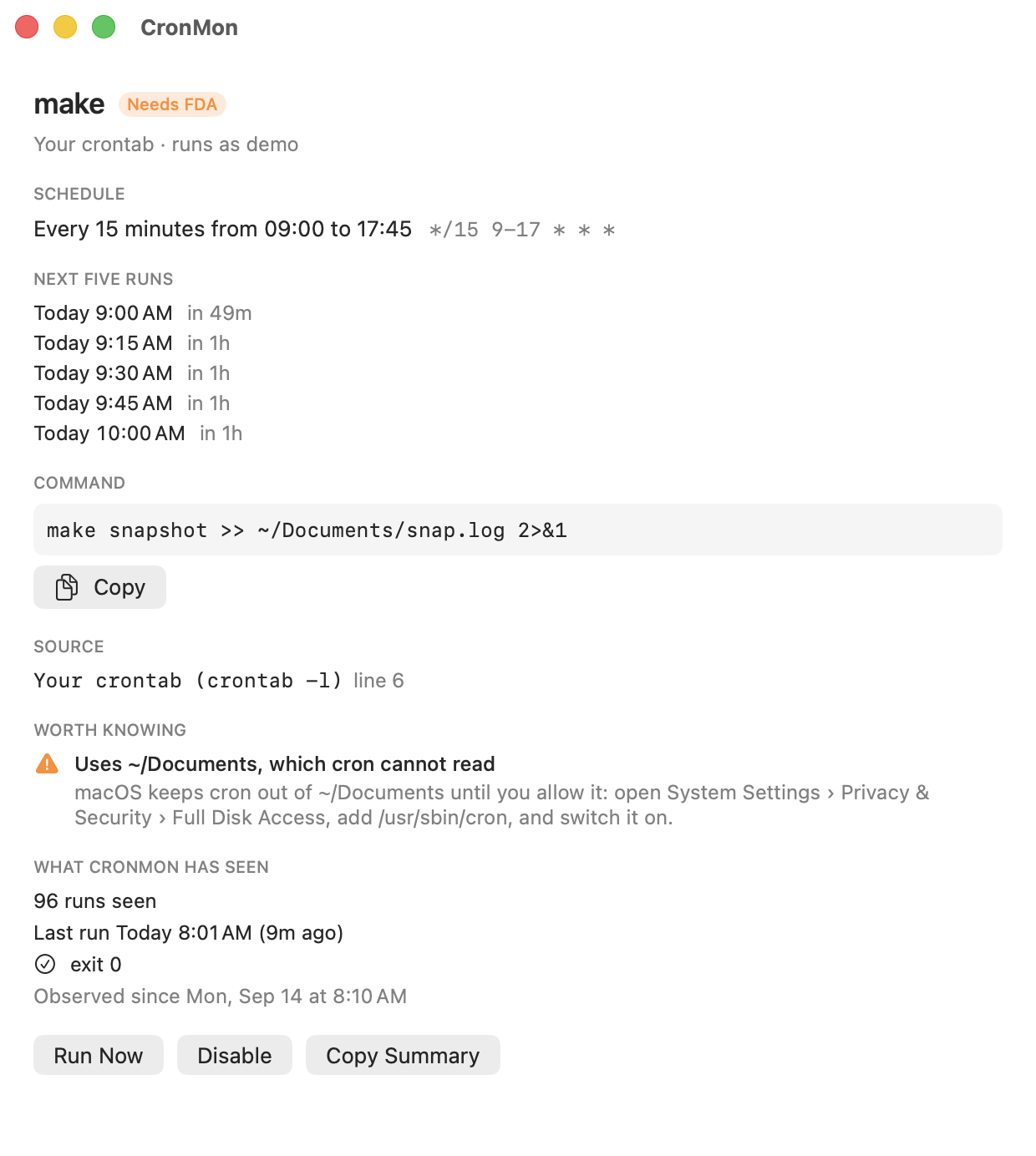
The project is in Documents, Desktop or Downloads. macOS keeps cron out of those folders until /usr/sbin/cron has Full Disk Access, so a job that worked when you ran it by hand fails with Operation not permitted — from /bin/sh when it cannot start the virtualenv's Python, or from Python as can't open file '…/job.py': [Errno 1] Operation not permitted. Either move the project somewhere like ~/projects, or give cron Full Disk Access.
Homebrew removed the Python the virtualenv was made from. A virtualenv's bin/python is a link to the interpreter that created it — for Homebrew, a versioned path such as /opt/homebrew/opt/[email protected]/bin/python3.14. If that version is uninstalled, the link points at nothing, and the job fails with exit status 127:
/bin/sh: /Users/you/projects/report/.venv/bin/python: No such file or directoryThe file is there in Finder, which makes this confusing. Recreate the virtualenv with a Python you have, and reinstall the requirements.
Or run it the way cron will, before cron does
CronMon's Run Now runs a cron job through /bin/sh with the environment cron would give it and shows you what it printed, so a ModuleNotFoundError or a missing cd turns up in front of you rather than in a mailbox. It also warns when a job's command is not on cron's PATH, when it touches a folder that needs Full Disk Access, and when its output is going to mail.